For iPhone. The new renter update is submitted to Apple for review. Availability will follow approval.
Compare your optionsCapture the detailsMove with a plan
A place for the details.
✓
Your home search. Your point of view.
KEYPROOF · THE RENTER COMPANION
From the first viewing↗to the last moving box.
Three parts of renting. One place.
Less scattered. More settled.
Make space for the exciting part. KeyProof helps you keep track of the practical part.
01
Choose your next place.
Bring in listings you find elsewhere. Keep viewing notes and compare the rentals you’re considering, while the details are still fresh.
Save the places on your shortlist
Record what you notice on a tour
Compare your options in the app
Your shortlist, beyond the screenshots.
02
Keep your own record.
Document move-in or move-out condition room by room. Photos, video, and voice notes help you capture what was there, when you were there.
Capture condition and existing damage
Keep room-by-room notes together
Export a PDF to save or share
The details are easier to remember with a record.
03
Get ready to move.
Make the next step feel manageable. Moving checklists and Get settled resources help you work through the tasks around your move.
Keep moving tasks in one checklist
Track your progress as you go
Explore optional moving resources
Checking a box never requires a purchase.
Made for your real life
Start where you are.
You don’t need to be moving tomorrow. Or have your next address figured out. Just take the next useful step.
1
Looking for a place?
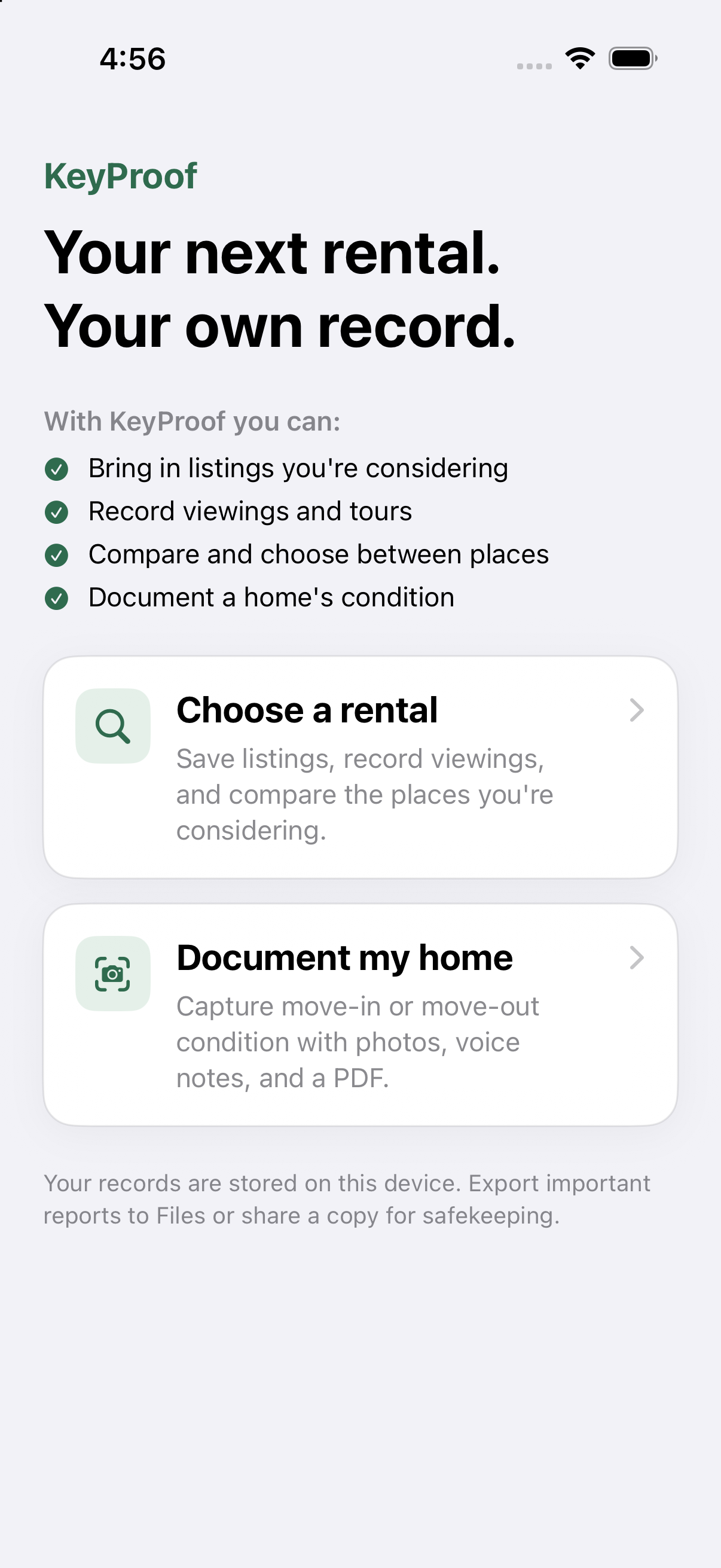
Choose a rental. Save an option, add your viewing notes, and build a shortlist you can actually compare.
2
Getting or returning the keys?
Document my home. Walk through each room and create a record of its condition.
3
Ready for moving day?
Open Get settled and work through your moving checklist, one task at a time.
↗
A record you can keep
Make a copy. Keep it somewhere safe.
Your walkthrough records are stored on your device. Export important PDF reports to Files or share a copy for safekeeping.
Good questions
Before you make your next move.
Does KeyProof find available rental listings for me?
KeyProof helps you organize listings you find elsewhere. Save places, record what you notice at viewings, and compare your options. It is not a live rental-listing marketplace.
Do I need an account to get started?
You can explore the renter workflows without signing in. Sign in with Apple and account management are available in Settings.
What can I do with a walkthrough report?
Export a PDF of your personal walkthrough to save in Files or share. Keep your own copy of important records. A report documents your observations; it does not guarantee a deposit refund or a particular dispute outcome.
Do I have to buy anything through Get settled?
No. Checklist completion is independent of opening an offer or buying anything. Optional third-party resources may include affiliate links. Availability, eligibility, and terms are set by the provider; check the disclosure in the app.